Add to Home Screen
Use Kilodey like a native app
No App Store needed. Kilodey is a Progressive Web App — install it in seconds on any iPhone or Android.
Open kilodey.app
in your browser
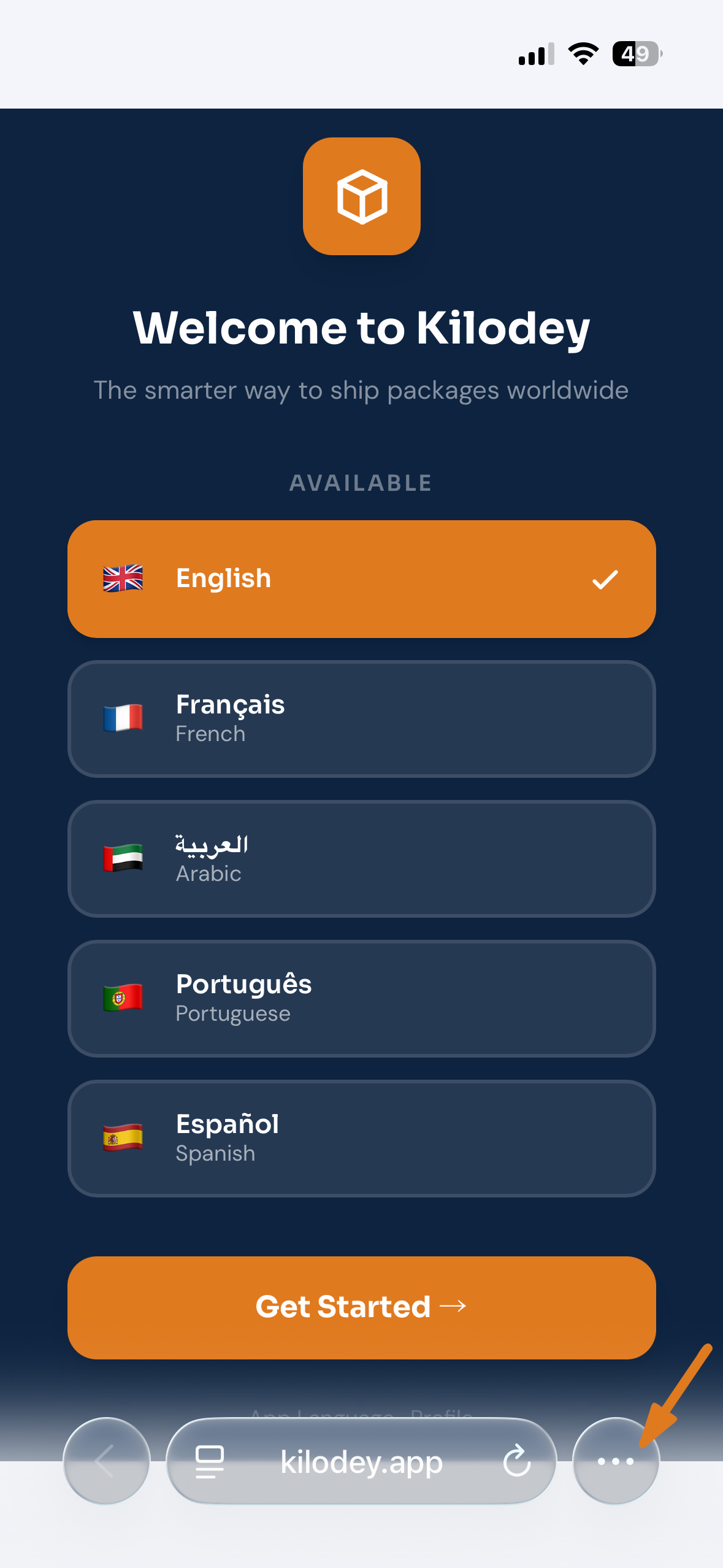
On your iPhone, go to kilodey.app in your browser. Once the page loads, look for the menu at the bottom of the browser bar — on Safari it's the Share icon, on Chrome it's the three dots (···).
Tap the
Share icon
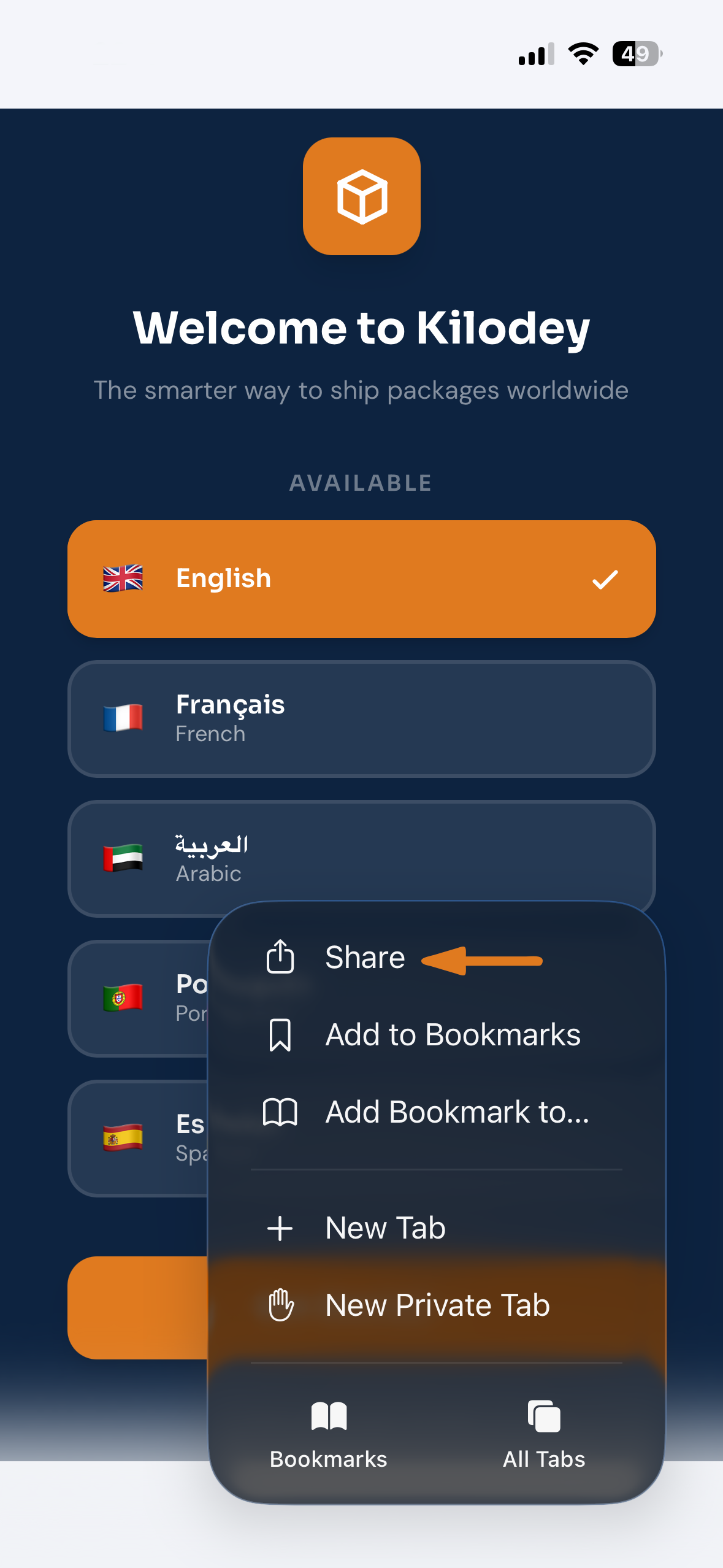
Tap the Share button — the square with the upward arrow. On Safari it's in the bottom toolbar; on Chrome it's inside the three-dot menu at the top.
Tap
"View More"
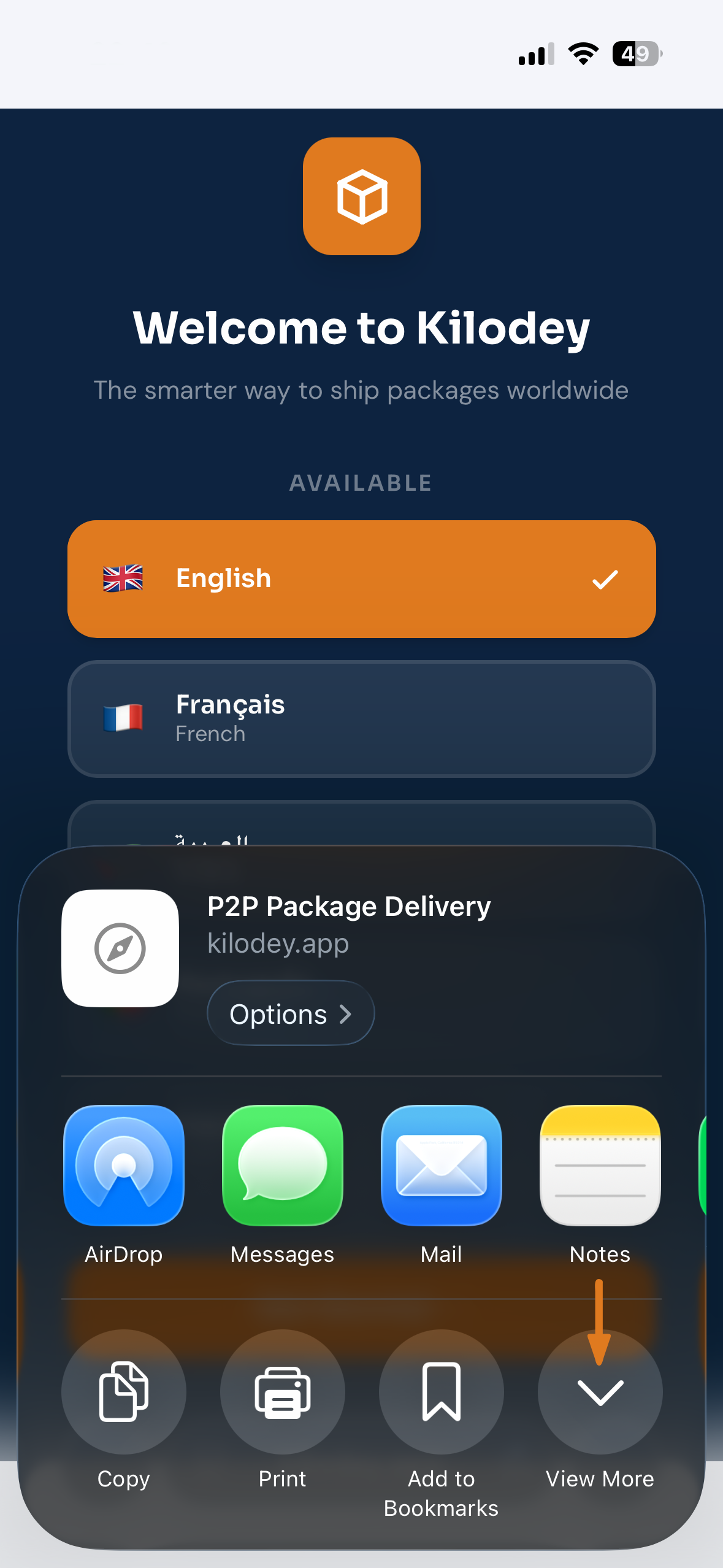
A share sheet appears showing quick actions and app shortcuts. Scroll down and tap "View More" to expand the full list of available actions.
Select "Add to
Home Screen"
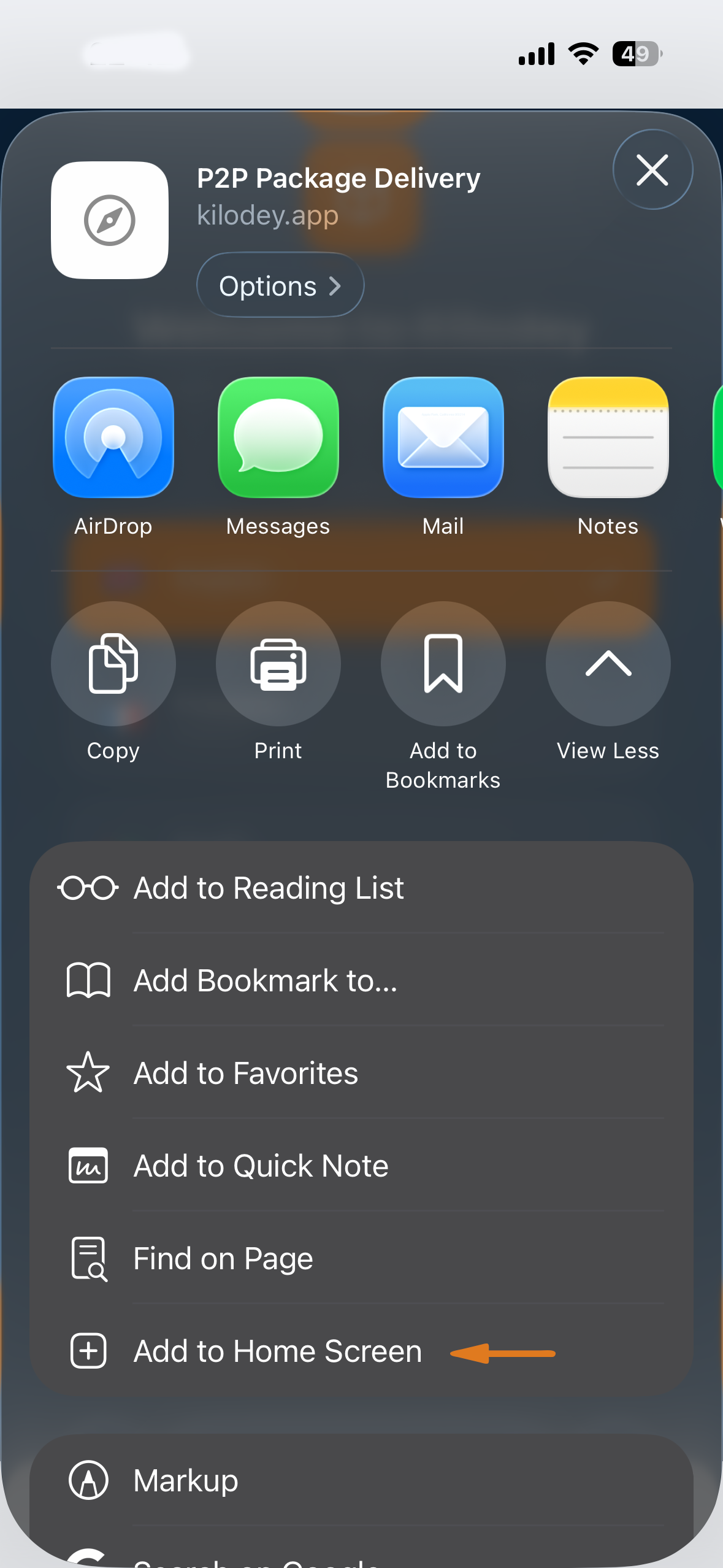
In the expanded list, tap "Add to Home Screen". The orange arrow in the screenshot points right to it. Scroll down in the list if you can't see it immediately.
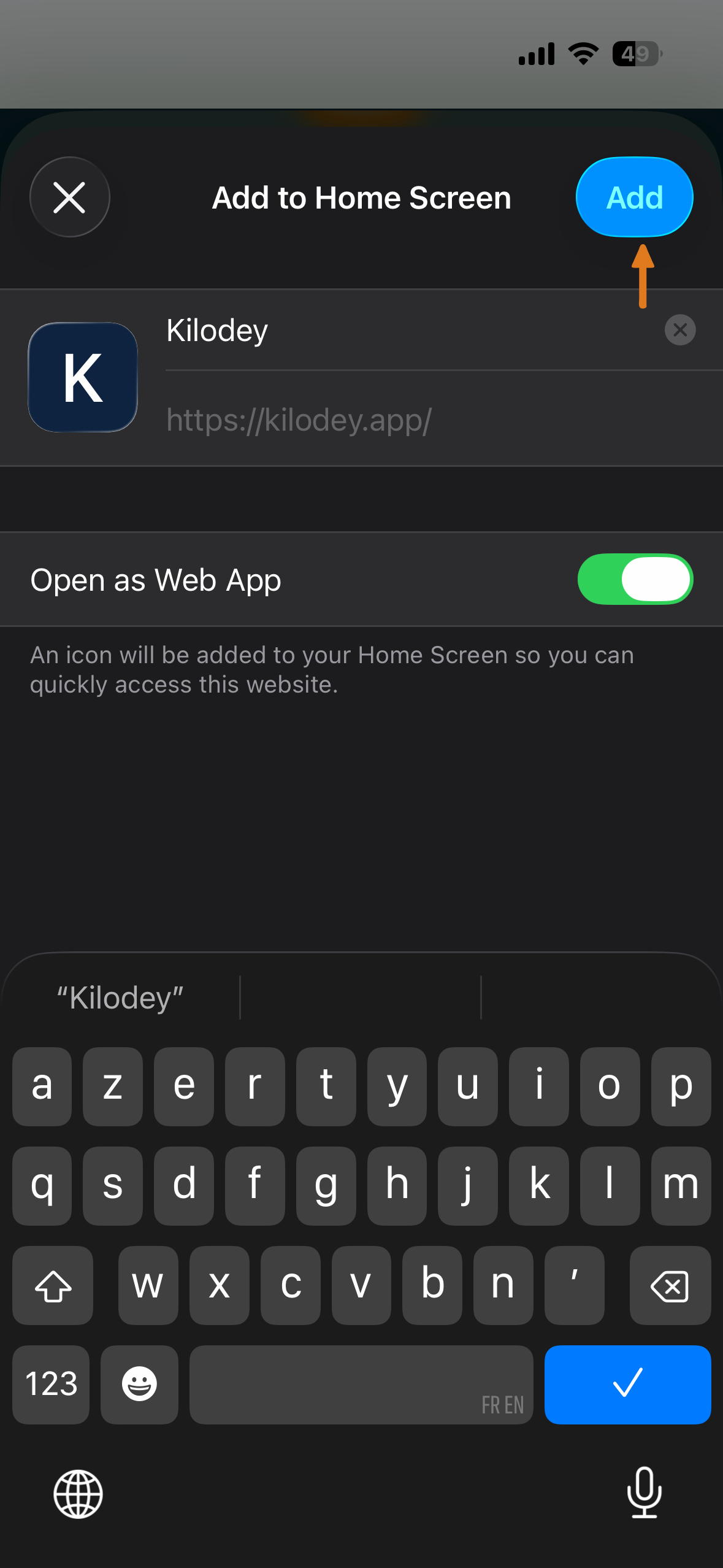
Tap "Add"
A confirmation screen shows the Kilodey icon, name, and URL. Make sure "Open as Web App" is toggled ON, then tap the blue "Add" button in the top-right corner.
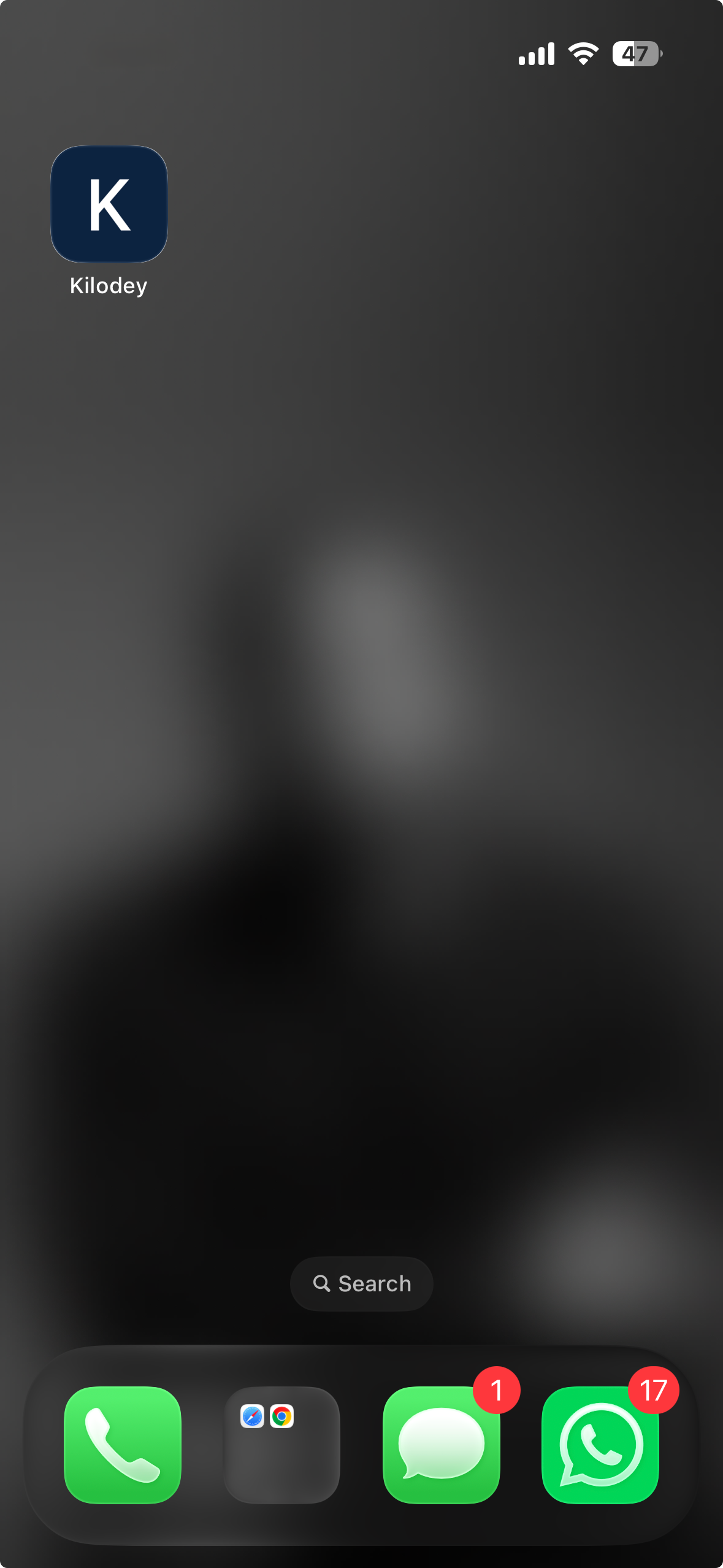
Kilodey is on
your home screen!
The Kilodey icon now lives on your home screen. Tap it to launch full-screen — no browser bar, no address bar. It looks and feels just like a native app.
Open kilodey.app
Go to kilodey.app in your iPhone browser. Tap the menu button at the bottom of the browser bar — the Share icon on Safari or the three dots (···) on Chrome.
Tap Share
Tap the Share button — the square with the upward arrow highlighted with the orange indicator.
Tap "View More"
The share sheet opens. Scroll down and tap "View More" to see all available actions.
Select "Add to Home Screen"
In the expanded list, tap "Add to Home Screen" — pointed out by the orange arrow.
Tap "Add"
The confirmation screen appears. Keep "Open as Web App" ON, then tap the blue "Add" button.
Kilodey is on your home screen!
The Kilodey icon is now on your home screen. Tap it to launch full-screen — just like a native app.
Step 01
Open in Chrome
Go to kilodey.app in Google Chrome on your Android phone.
Step 02
Tap ⋮ Menu
Tap the three-dot menu ⋮ in the top-right corner of Chrome to open the options.
Step 03
Add to Home Screen
Tap "Add to Home Screen" or "Install app", then confirm by tapping Add.
Done!
You're all set!
Kilodey appears on your home screen. Tap it to launch full-screen.